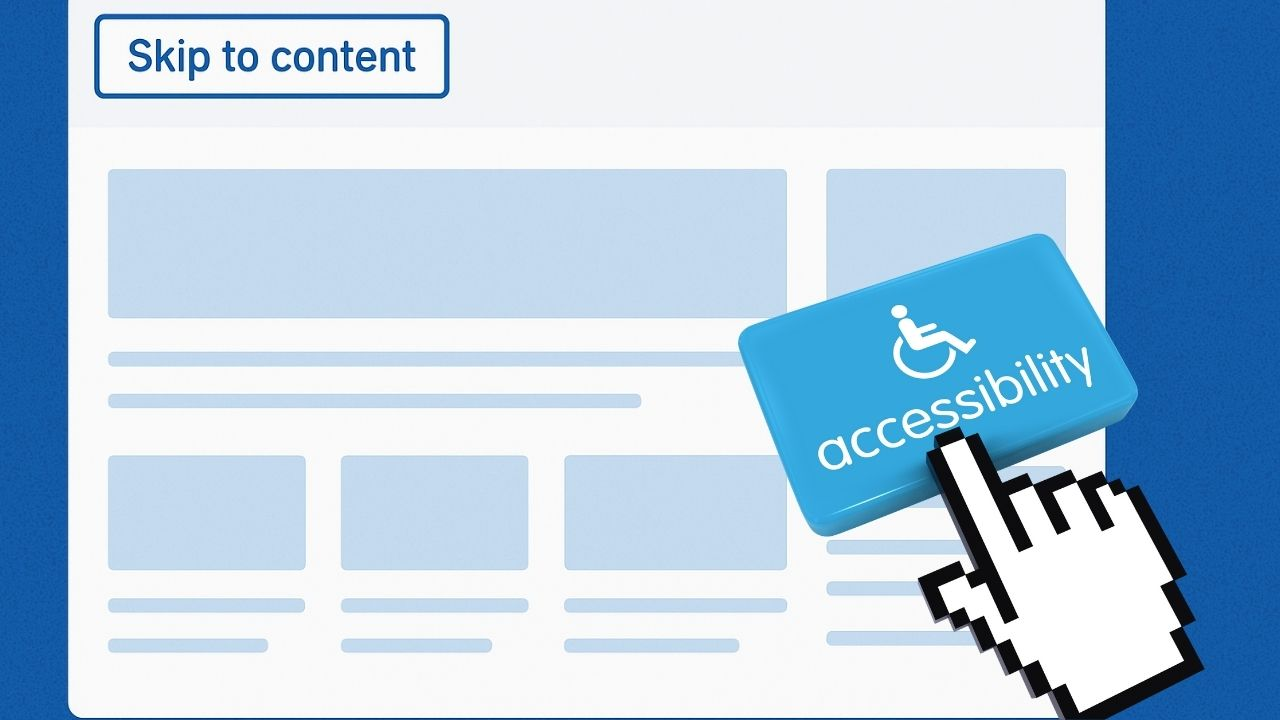
Have you ever visited a webpage, an online training module, or even a PDF? The layout was visually appealing, combining images, menus, banners, and ads in a beautifully layered design. But before you ever reach the heart of the information, there’s a lot to get through.
Now imagine trying to move through that same page if you’re visually impaired. Or imagine navigating with limited arm movement—using a mouth stick, head pointer, switch device, or only the keyboard.
But imagine doing that when you’re visually impaired, or when you navigate using only a keyboard, a switch device, a mouth stick, or a head pointer. Getting to the main content could mean pressing Tab dozens of times—every single time the page loads.
For mouse users, sighted users can scroll or click; this isn’t a big deal. They can scan and navigate to exactly where they want to go.
Adding a “Skip Navigation” Link helps make your website and digital materials far more accessible and user-friendly.
What Is a Skip Navigation Link?
A Skip Navigation Link—often called a “skip link”—is a short, simple link placed at the very start of a page. When activated, it moves the user directly to the main content.
Alternative Names:
- Skip to main content
- Skip navigation
- Skip to content
- Skip main navigation
Why Skip Links Are Essential
Skip links create a smoother digital experience for people who navigate without a mouse, including:
- Individuals who are blind or visually impaired
- Individuals with limited mobility
- Individuals using assistive tech such as switches, head pointers, or mouth sticks
- Individuals who rely on screen readers
- Individuals who use only keyboard navigation
More Benefits of Skip Links
- They reduce cognitive overload.
- They speed up task completion.
- They make digital products more user-friendly for everyone.
- They support seniors, low-tech users, and people learning to navigate digital spaces.
- They improve your website’s structure and usability.
- They reflect professionalism and modern accessibility standards.

Compliance Matters: WCAG 2.4.1
Skip links are directly connected to WCAG 2.4.1: Bypass Blocks, which requires digital products to provide a way for users to skip repeated blocks of content.
Including a skip link is an essential step toward aligning your digital products with accessibility standards.
Whether you’re responsible for a website, an online service, or digital documents, having a skip link is both a best practice and a clear step toward compliance.
How Skip Links Improve Digital Documents
Skip links aren’t only for websites; they can also help when used in:
- PDF training materials
- eLearning modules
- digital manuals
- forms and reports
- onboarding or HR documents
Frequently Asked Questions About Skip Links
Do all websites need a skip link?
Yes. Any site or digital product with repeated navigation at the top should include a skip link; this includes menus, banners, sliders, search bars, and dropdowns.
Should skip links always be visible?
Ideally, the skip link should be visible at the top of the page.
Some designs hide it visually until it receives keyboard focus, which is acceptable as long as it becomes obvious when focused.
Are skip links only for websites?
Not at all. PDF documents, online courses, digital forms, and training materials also benefit from skip-like navigation methods. When remediating PDFs, similar functionality can be implemented through proper tagging and structure.
Do screen readers automatically use skip links?
Screen reader users hear skip links announced when they tab onto them. They can then press “Enter” to jump to the main content.
Tools to Check Whether Your Site Already Has a Skip Link
You can quickly test your page using:
- WAVE Web Accessibility Tool
- Axe DevTools
- Lighthouse in Chrome DevTools
- NVDA or VoiceOver (navigate the page with the Tab key)
- Keyboard only testing (press Tab when the page loads and see where focus goes)
Why Skip Links Also Improve SEO and User Trust
Accessibility and SEO go hand in hand. Search engines favor websites with clean structure, good headings, and straightforward navigation — all things that skip links help support.
Plus, when users see that your site is built with accessibility in mind, it builds trust. People are more likely to stay, explore, and recommend your content when they feel the experience is designed for everyone.
We started by discussing how overwhelming webpages and digital documents can be, especially for people who rely on keyboard navigation. “Skip navigation” links help fix this problem. The Skip Navigation link is essential for creating accessibility for all users.
Ready to Make Your Digital Content More Accessible?
At Thornton Consulting Firm, we help organizations create inclusive, accessible digital experiences that meet modern standards.
We provide:
- Full digital accessibility services
- PDF and other digital product remediation
- Digital Product Accessibility Checks
- Support for organizations of all sizes
If you’re unsure whether your website or digital documents are accessible—or you want help creating skip links and meeting WCAG requirements—we offer a free 30-minute consultation.
Connect with us:
- 🌐 www.thorntonconsultingfirm.com
- 📩 Send us a direct message
- 📞 Schedule your free consultation at (678) 252-9086

